
Quick Summary
Learning how to reset FAAC gate motor systems requires model-specific troubleshooting, as procedures vary across hydraulic, electromechanical, and distinct control board configurations. Technical experts at Ironworks Gate Co. recommend cutting power and verifying manual release re-engagement before executing board-specific reset sequences or power cycles. Readers will be able to safely resolve basic automation errors and determine when to call licensed professionals for 24/7 same-day service if deeper electrical faults persist.
FAAC Gate Operator and Control Board Reset Procedures
When learning how to reset faac gate motor units, note there is no single universal reset procedure for all operators. FAAC manufactures a variety of hydraulic, electromechanical, and automated systems, each using distinct control boards. You must identify your exact operator and control board model before attempting any reset or setup procedure.[4]
Safety Note: Turn off the automation power supply during any operational fault or emergency. If the gate cannot be moved safely by hand, keep the system out of service until it is inspected. As technicians at Ironworks Gate Co. emphasize, always disconnect power before restoring normal operation after a manual release, and consult your specific model manual for exact configuration routines.
Safety Precautions and Requirements
FAAC documentation specifies that during any operational fault or emergency, you must turn off the automation’s main power supply. If the gate cannot be moved safely by hand, keep the system out of service. Repairs and direct corrective work should be performed only by qualified technicians.[5]
What You Will Need
- FAAC manual release key: The key paired with your operator model.
- Enclosure key: To access the control panel enclosure.
- Protective work gloves: For safety while handling mechanical parts.
- Your specific control board manual: Required to verify model-specific reset and configuration procedures.
Safety Check and Manual Release
- Cut the power: Switch off the main power supply during any fault or emergency.
- Manual operation: Refer to your applicable model manual for the correct release procedure. If the gate cannot be moved safely by hand, keep the system out of service.
- Check safety devices: Ensure all connected safety devices and optical paths are unobstructed.
Model-Specific Reset and Setup Procedures
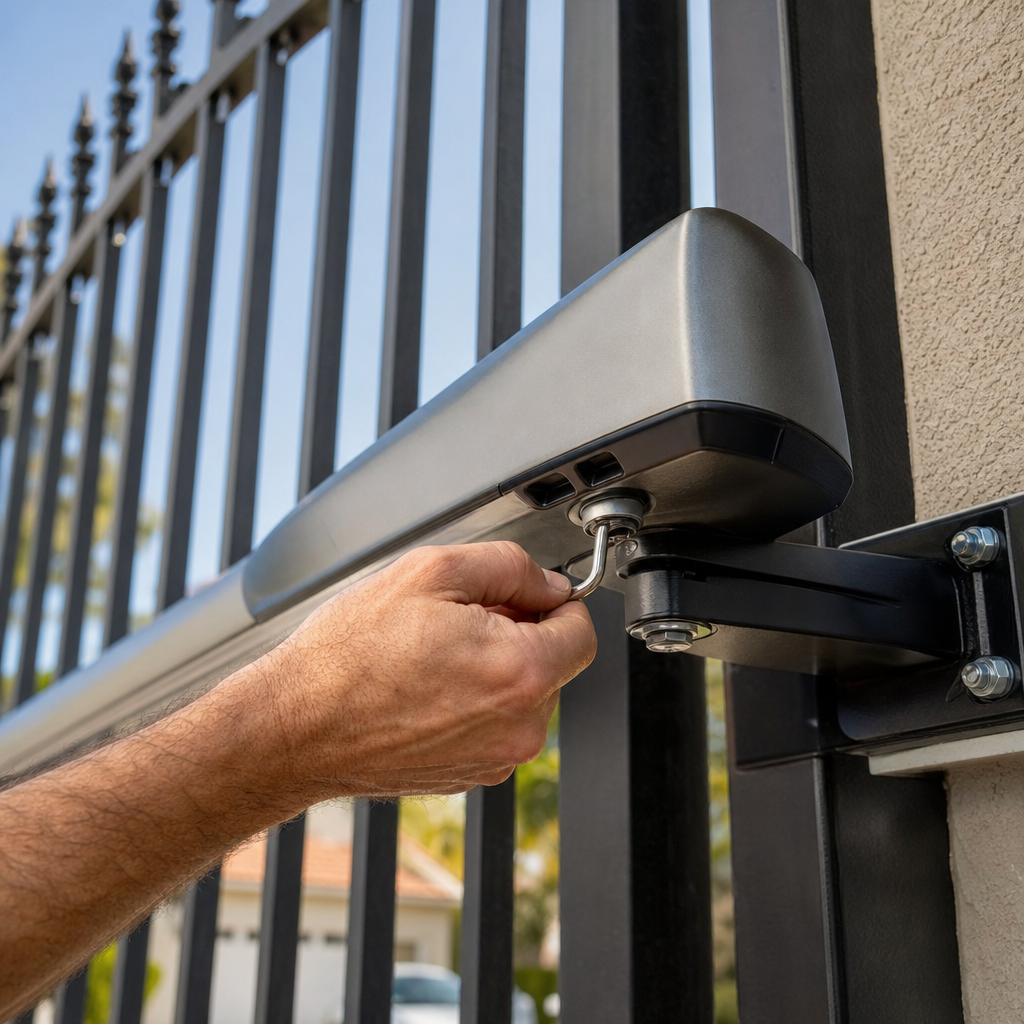
Procedures vary by control unit, and Ironworks Gate Co. recommends consulting your model’s manual before proceeding.
FAAC 826 MPS Control Unit
- Hold the FCC control.
- Press the RESET button for approximately 1 second.
- The ADL LED should illuminate for approximately 1 second to indicate the logic has reset.
FAAC E721 Control Board
The FAAC E721 uses a model-specific setup procedure rather than a universal reset:[1]
- Press and hold the SETUP button.
- This initiates a slow setup cycle that stops at a limit switch to configure travel.
FAAC A951 Automation System
For the FAAC A951, a reset can be performed by either of the following methods:[2]
- Press and hold the two central KPEVO buttons simultaneously for 5 seconds.
- Temporarily switch off the power supply to the unit.
Restoring Normal Operation After Manual Release
Power should be disconnected before restoring normal operation after a manual release. Refer to the applicable model manual for the exact release and re-engagement procedure.
- Ensure the main power supply remains disconnected.
- Re-engage the drive mechanism as specified in your operator’s manual.
- Ensure the manual release is fully re-engaged and the area is clear of personnel.
- Restore power to the automation system.
Frequently Asked Questions
Where is the reset button located on a FAAC gate motor control board?
FAAC systems do not have a universal reset button. Certain models (such as the 826 MPS) feature a dedicated RESET button used with specific inputs, whereas other boards require model-specific setup routines. Always identify your control board model and refer to its manual.[3]
How to reset faac gate motor equipment with a hard reset?
According to Ironworks Gate Co., turn off the mains power and any backup-battery power, wait briefly, and restore power. Ensure the manual release is fully re-engaged, and follow the exact procedure in your model manual.
Why is my FAAC gate not responding to remotes after resetting?
Check the power supply and safety devices, replace the remote battery if needed, and reprogram the transmitter to the receiver according to the applicable control-board procedure.
Need how to reset faac gate motor?
We’re available now - call for a fast, free estimate.
Sources
- Master / Slave Configurations; Master / Slave Wiring; Master/Slave Setup Procedure – FAAC E721 Manual [Page 17] – manualslib.com
- A951 Manual | PDF | Safety | Automation – scribd.com
- Automation, Accessories and Professional Solutions – FAAC – faac.help
- Installation Manual – faac.co.uk
- [PDF] 392 C – faac.se
Related reading: Residential Vs Commercial Gate Operators – Call Now-10% Off – Same-Day Service – Free Estimate
Related reading: Automatic Gate Troubleshooting | Call Now-10% Off | Same-Day Service | Free Estimate
Frequently Asked Questions
What should I do if my FAAC gate motor hums but fails to move after a reset?
A humming motor that will not open or close usually points to a blown start capacitor, low hydraulic pressure, or a physical mechanical bind rather than a logic error. If standard reset steps fail, Ironworks Gate Co. provides 24/7 same-day service to safely test internal electrical components and restore operation.
Why does my FAAC gate stop short or reverse direction immediately after a reset?
Premature stopping or reversing typically indicates mechanical limit drift, misaligned safety sensors, or an incomplete travel learn cycle on boards like the FAAC E721. If recalibrating the travel settings does not resolve the issue, request a free on-site estimate from Ironworks Gate Co. to inspect your limit switches.
How long should power remain disconnected during a FAAC control board hard reset?
Disconnect the main power breaker and any integrated battery backups for at least 30 to 60 seconds to ensure the board capacitors fully discharge. After restoring power, ensure the manual release lever is completely re-engaged before initiating an automated travel cycle.
About the author
 |
David Caldwell David is a technical writer specializing in home services and automated access systems. With over a decade of experience covering residential and commercial property maintenance, he translates complex gate repair concepts and pricing structures into clear, actionable advice. He holds a B.A. in Communications from California State University, Northridge. |
Gate not opening, off track, or opener dead?
We’re available now - call for a fast, free estimate.
Call Now - Free Estimate